meme-factory
This skill generates memes via the https://api.memegen.link API and includes a Python helper scripts/meme_generator.py for URL construction. It contains runnable examples that invoke shell commands (e.g., curl -I "https://api.memegen.link/images/buzz/test/test.png", python meme_generator.py generate …) and makes network calls to https://api.memegen.link.
Meme Factory
A Claude Code skill for generating memes using the memegen.link API and textual meme formats.
Purpose
The Meme Factory skill enables you to quickly create visual memes for various contexts - from code reviews to deployment celebrations. It uses the free memegen.link API to generate memes with custom text on popular templates, and also supports textual meme formats like greentext and copypasta.
When to Use
Use this skill when you want to:
- Add humor to technical conversations
- Create visual content for social media
- Make code reviews more engaging
- Celebrate successful deployments
- Generate memes about bugs, features, or tech decisions
- Need quick visual aids without design tools
How It Works
The skill leverages the memegen.link API, which generates memes on-demand using URL parameters:
https://api.memegen.link/images/{template}/{top_text}/{bottom_text}.png
Key features:
- No API key required - Free and open-source
- 100+ templates - Popular meme formats built-in
- URL-based - All parameters in the URL (stateless)
- Custom styling - Control dimensions, fonts, and backgrounds
- Special character encoding - Handles spaces, symbols, newlines
Key Features
1. Popular Templates
buzz- "X, X everywhere" formatdrake- Two-panel comparisonsuccess- Celebrating winsfine- "This is fine" ironyfry- "Not sure if..." uncertaintychangemind- Controversial opinionsdistracted- Wrong prioritiesmordor- "One does not simply..."
2. Text Formatting
- Spaces: Use
_or- - Newlines: Use
~n - Special chars:
~q(question),~p(percent),~s(slash),~h(hash)
3. Customization Options
- Image formats: PNG, JPG, WebP, GIF
- Dimensions: Custom width/height
- Layout: Top, bottom, or default
- Fonts: Multiple options available
- Custom backgrounds: Use any image URL
4. Textual Memes
Includes 15+ text-based meme formats:
- Greentext stories
- Copypasta
- ASCII art
- Reaction emojis
- And more (see markdown-memes-guide.md)
Usage Examples
Basic Meme
/meme-factory buzz memes memes_everywhere
Generates: https://api.memegen.link/images/buzz/memes/memes_everywhere.png
Code Review Context
/meme-factory fry not_sure_if_feature or_bug
Generates: https://api.memegen.link/images/fry/not_sure_if_feature/or_bug.png
Deployment Success
/meme-factory success deployed_to_production zero_downtime
Generates: https://api.memegen.link/images/success/deployed_to_production/zero_downtime.png
Comparing Options
/meme-factory drake manual_testing automated_testing
Generates: https://api.memegen.link/images/drake/manual_testing/automated_testing.png
Production Issues
/meme-factory fine memory_usage_at_99~ this_is_fine
Generates: https://api.memegen.link/images/fine/memory_usage_at_99~/this_is_fine.png
With Custom Dimensions
/meme-factory buzz features features_everywhere
Add query params: ?width=1200&height=630 for social media
Natural Language
meme-factory: create a meme about deploying on friday
Claude will select appropriate template (likely mordor) and generate the meme.
Quick Start
-
Invoke the skill:
/meme-factory -
Specify template and text:
/meme-factory {template} {top_text} {bottom_text} -
Or use natural language:
meme-factory: create a meme about {your topic} -
Browse templates: Visit https://api.memegen.link/templates/ to see all available templates
-
Test the URL:
curl -I "https://api.memegen.link/images/buzz/test/test.png"
Template Selection Guide
| Context | Recommended Template | Why |
|---|---|---|
| Comparing two options | drake | Two-panel reject/approve |
| Celebrating wins | success | Positive emphasis |
| Things going wrong | fine | Ironic "everything is fine" |
| Uncertainty | fry | "Not sure if X or Y" |
| Controversial take | changemind | Statement + challenge |
| Something ubiquitous | buzz | "X, X everywhere" |
| Bad ideas | mordor | "One does not simply..." |
| Wrong priorities | distracted | Boyfriend looking at other girl |
Validation Checklist
After generating a meme, verify:
- URL returns valid image (HTTP 200)
- Text is readable (not too long - keep 2-6 words per line)
- Template matches the message context
- Special characters properly encoded
- Dimensions appropriate for platform
Platform Dimensions
| Platform | Recommended Size |
|---|---|
| Social media (Open Graph) | 1200x630 |
| Slack/Discord | 800x600 |
| GitHub | Default |
Common Pitfalls
| Mistake | Why It Fails | Solution |
|---|---|---|
| Spaces without encoding | URL breaks | Use _ or - |
| Too much text | Unreadable | Keep it short (2-6 words) |
| Wrong template | Message mismatch | Match template to context |
| Missing extension | Invalid URL | Always use .png, .jpg, etc. |
| Unencoded special chars | URL breaks | Use ~q, ~s, ~p |
| Assuming template exists | 404 error | Check templates list first |
Additional Resources
- SKILL.md - Complete skill documentation
- markdown-memes-guide.md - 15+ textual meme formats
- examples.md - Practical usage examples
- meme_generator.py - Python helper script
- memegen.link API docs - https://api.memegen.link/docs/
- Template list - https://api.memegen.link/templates/
Example Workflow
In Code Review
Great catch on that edge case!
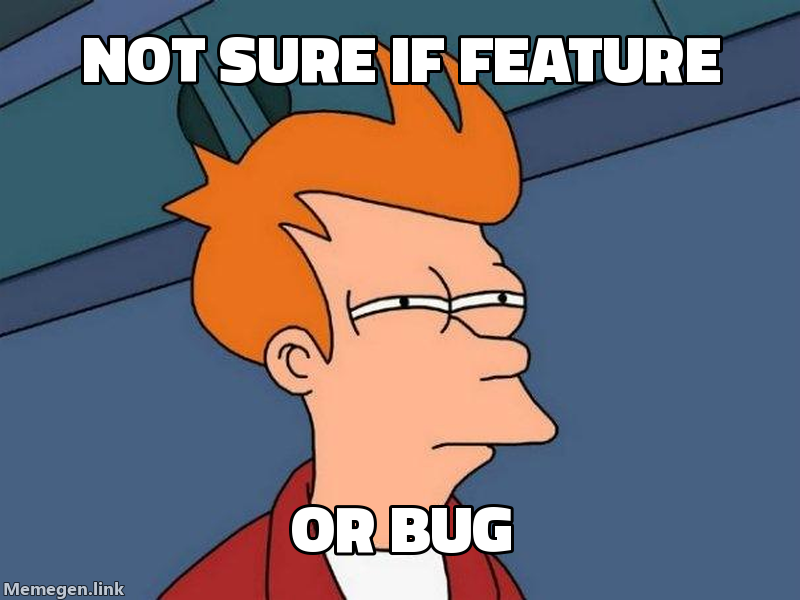
Let's add a test to clarify the expected behavior.
In Deployment Notification
Production deployment complete!
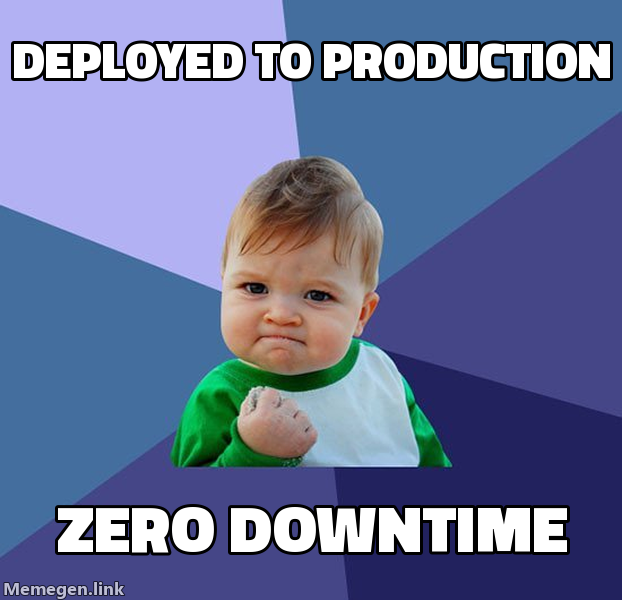
All health checks passing.
In Bug Report
Found an interesting issue in the payment flow:
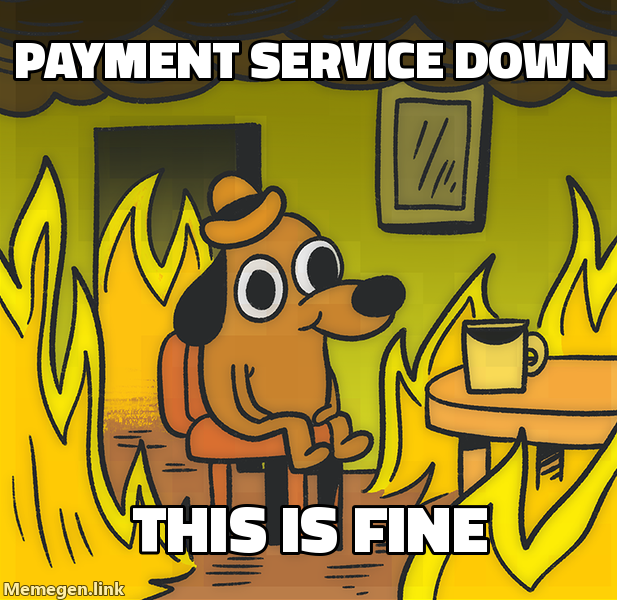
Rolling back to previous version while we investigate.
Summary
Meme Factory makes it easy to add humor and visual interest to technical communication. Whether you're celebrating a successful deploy, highlighting a code review comment, or just making your team laugh, this skill helps you quickly generate contextual memes without leaving Claude Code.
Golden rule: Keep text concise, match template to context, and have fun!